A compact camera can help document a doorway, workshop, or delivery area, but choosing one involves more than size and resolution. The global video surveillance market was valued at about $53.7 billion in 2023, according to Grand View Research, which projected a 14.9% compound annual growth rate from 2024 to 2030. That figure reflects growing demand for monitoring technology, not proof that every camera is suitable—or lawful—for every setting. Details matter.
A Surveillance Spy Cam should be selected for a clearly defined, legitimate purpose, such as checking a storage room you control or monitoring an entryway with appropriate notice. Before buying, consider where the camera points, who may be recorded, how footage is stored, and whether audio recording is necessary. Privacy and recording rules vary by location, so check current local requirements or seek qualified legal advice when uncertain. A device’s small size does not make hidden recording appropriate.
The seven tips that follow focus on practical checks: image quality in low light, power and battery life, secure storage, access controls, installation, and transparent use. Look for clear product documentation and security-update commitments; avoid relying on vague claims such as “military-grade encryption” without supporting details. One limitation is easy to overlook: a camera may capture less than expected through a window or in a dim hallway. Not always. Test the view before relying on it, and review your setup as circumstances change.
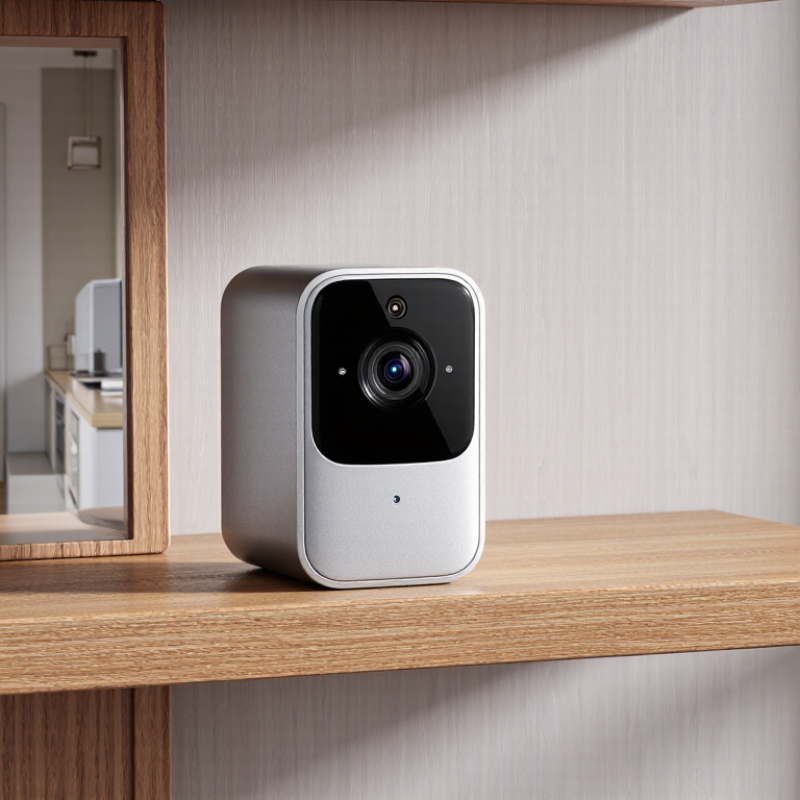
Before placing a camera, check the laws where it will operate. Rules can differ by state, province, or country, and may depend on whether the device captures video, audio, or both. The Reporters Committee for Freedom of the Press maintains a 50-state guide explaining consent rules for recording conversations. Use it as a starting point, then verify current local requirements with an appropriate legal professional. Audio needs extra care. A camera aimed at a shared entrance may capture private conversations you did not intend to record. Avoid locations where people reasonably expect privacy, such as bathrooms or changing areas.
Privacy practices matter even when recording is permitted. Pew Research Center’s 2019 report found that 79% of U.S. adults were concerned about how companies used their data, while 81% felt they had little or no control over it. Those figures concern data broadly, not cameras alone, but they underline why clear notice and limited access matter. For a home or workplace, point the lens only at the area you need to monitor, post clear notice when appropriate, and restrict playback to authorized people. Set a short retention period and delete footage you no longer need. One detail is easy to overlook: household members and visitors may not share your assumptions about recording, so discuss the setup before switching it on.
These examples concern audio recording, not silent video. “One party” means at least one participant’s consent; “all parties” means everyone involved must generally consent. Rules can depend on the circumstances, exceptions, and other applicable laws. Check current local law before recording.
Sources: California Penal Code § 632; Florida Statutes § 934.03; New York Penal Law § 250.00; Texas Penal Code § 16.02.
A 1080p frame contains 1,920 × 1,080 pixels, or 2.07 megapixels. That sounds detailed, but the number alone cannot tell you whether a face will be clear. The EN 62676-4:2014 video-surveillance standard uses pixel density to describe image tasks: about 25 pixels per metre for detection, 125 for recognition, and 250 for identification. These are planning benchmarks, not guarantees.
Think about the actual view. A camera covering a wide room spreads its 2.07 million pixels across more space than one focused on a doorway. At a front entrance, measure the distance from the lens to the expected face, then check a test image at that spot. Can you distinguish facial features, or only see that someone passed by? Small text on a parcel may still blur. It happens.
Lens angle, lighting, movement, and compression also affect usable detail. A narrow view can improve pixel density, but may miss activity outside the frame. For a practical check, review recorded footage at night as well as in daylight; bright window glare can wash out a face. The UK Surveillance Camera Commissioner’s Buyer’s Toolkit also emphasizes matching system design to its intended purpose. Choose a lawful, clearly justified coverage area, and follow applicable notice and privacy requirements.
| Tip | Image Detail | Pixels per Frame | Practical Fit | What to Check |
|---|---|---|---|---|
| 1. Match resolution to the task | 720p (1280 × 720) | 921,600 pixels (about 0.92 MP) | May suit broad overviews where fine detail is not essential. | Confirm the recorded video—not just the advertised sensor resolution—uses this resolution. |
| 2. Choose 1080p for general detail | 1080p (1920 × 1080) | 2,073,600 pixels (about 2.07 MP) | A common balance for general indoor monitoring and reviewing activity in a defined area. | Resolution alone cannot guarantee readable faces or text; distance, lighting, lens quality, and compression matter. |
| 3. Consider 1440p when more detail helps | 1440p (2560 × 1440) | 3,686,400 pixels (about 3.69 MP) | Can provide more image pixels than 1080p for a similar scene. | Check that the camera, storage, and playback system support the chosen resolution. |
| 4. Use 4K only when the added detail is useful | 4K UHD (3840 × 2160) | 8,294,400 pixels (about 8.29 MP) | Can help when a wide scene needs more detail or when cropping is part of review. | Higher resolution can require more storage and bandwidth; actual detail also depends on the lens, sensor, and encoding. |
| 5. Match the lens and view to the area | Depends on the lens and camera setup | Not determined by resolution alone | A narrower view places more of the available image across a smaller area; a wider view covers more area. | Check the stated field of view and test the camera’s view from its intended position. |
| 6. Check recording conditions | Resolution, frame rate, lighting, and compression work together | Pixel count stays the same at a given resolution | Good lighting and suitable recording settings can make footage easier to review. | Review sample footage in the expected lighting and confirm the frame rate and compression settings. |
| 7. Confirm lawful, privacy-conscious use | Choose only the detail needed for a legitimate purpose | Use the lowest adequate resolution where appropriate | Limit recording to spaces and purposes you are legally permitted to monitor. | Privacy, notice, audio-recording, and consent rules vary by location; check applicable laws before recording. |
Note: Megapixel figures are calculated from the listed frame dimensions. They describe the number of pixels in each frame, not guaranteed real-world image clarity.
When comparing low-light cameras, treat lux as a test condition, not a promise. Lux measures visible light on a scene; a lower minimum rating can suggest better low-light performance. However, ratings vary with exposure time, lens aperture, sensor, and whether infrared illumination is active. A dim hallway might meet a published lux figure, yet moving faces can still blur. Check sample footage, not just the spec sheet.
Infrared wavelength changes the trade-off. At 850 nm, illuminators often provide more usable range, but a faint red glow may appear near the emitters. At 940 nm, the glow is much harder to notice, though comparable hardware may illuminate a shorter distance. Actual results also depend on sensor sensitivity, LED power, focus, and nearby surfaces. Pale walls can flare. Dark fabric may disappear. For a permitted home or workplace installation, match the wavelength to the scene, provide clear notice where appropriate, and limit recording to necessary areas. Test after dusk at the intended distance, then review moving subjects. I would not rely on one lux figure; even careful comparisons leave some uncertainty.
A 1 Mb/s stream produces about 10.8 GB of video per day: 1,000,000 bits per second, multiplied by 86,400 seconds, then divided by eight. This uses decimal gigabytes, where 1 GB equals 1 billion bytes. The calculation is a planning estimate, not a promise of exact disk use. Audio, timestamps, file systems, and bitrate changes can increase the total. For a 30-day retention period, one camera needs roughly 324 GB before extra capacity.
Small difference. It adds up.
The UK Home Office’s CCTV Operational Requirements Manual advises setting image quality and operational needs before specifying a system. Apply that logic to storage: check the camera’s recorded bitrate at the resolution and frame rate you will actually use, then multiply by camera count and retention days. Motion-based recording may use less space, but busy scenes can keep the stream near its configured rate. A quiet hallway and a leafy entrance will not behave alike. Leave headroom, and test a representative day of footage; I would not size a system from a brochure’s lowest figure alone. Keep retention appropriate to the intended purpose and applicable privacy requirements, and review it when recording settings change.
An outdoor security camera can face rain, dust, and sudden temperature changes. Check its complete IEC 60529 IP rating before choosing a mounting spot. The first digit describes protection against solid objects and dust; the second describes water protection. For example, IP65 means dust-tight and tested against water jets under defined conditions. It does not mean the camera can be submerged. Small details matter.
Tip: Match the rating to the exposure. A sheltered porch may need less water protection than a wall exposed to wind-driven rain. Check the product documentation, not just a short listing, and confirm that the stated rating applies to the assembled camera. An “X” means that category has not been rated. Don’t guess.
The rating reflects standardized testing, not every year of real-world weather. Sun, cracked seals, and poorly protected cable connections can still cause trouble. I’d leave a drip loop in the cable and avoid pointing the lens toward neighbors’ windows or private areas. Even a good rating can’t fix a poor placement choice. Recheck seals and mounts after storms, and follow local privacy requirements.
+44 (0)1373 831 373