A Smart Paging Machine can change the feel of a busy restaurant, clinic, or service counter. Guests receive a small pager, take a seat, and wait without crowding the pickup area. Staff can call them when an order or appointment is ready. The benefit sounds simple. The buying decision is not.
For this guide, use a verified industry expert’s words rather than an invented quotation: “[Insert an exact, sourced quote about paging reliability or customer flow.]” — [Expert name and professional role]. Confirm the wording and attribution before publication. Trust matters here, especially when buyers rely on advice to compare equipment.
The right system should match the work on the floor. A café may need compact pagers, clear vibration alerts, and dependable coverage from the counter to its outdoor tables. A larger venue may care more about charging capacity, durable cases, simple staff controls, and support when a unit stops responding. Check the practical details, not just the product photos. Ask how many pagers the transmitter supports, how range is tested, and what replacement units cost. Then consider setup and training. A feature-rich system can still frustrate staff.
This buying guide compares options for businesses with different spaces, budgets, and service patterns. It also looks at what specifications reveal—and what they leave out. One detail is easy to miss: real-world signal quality can change with walls, appliances, and layout. A showroom test may not tell the whole story.
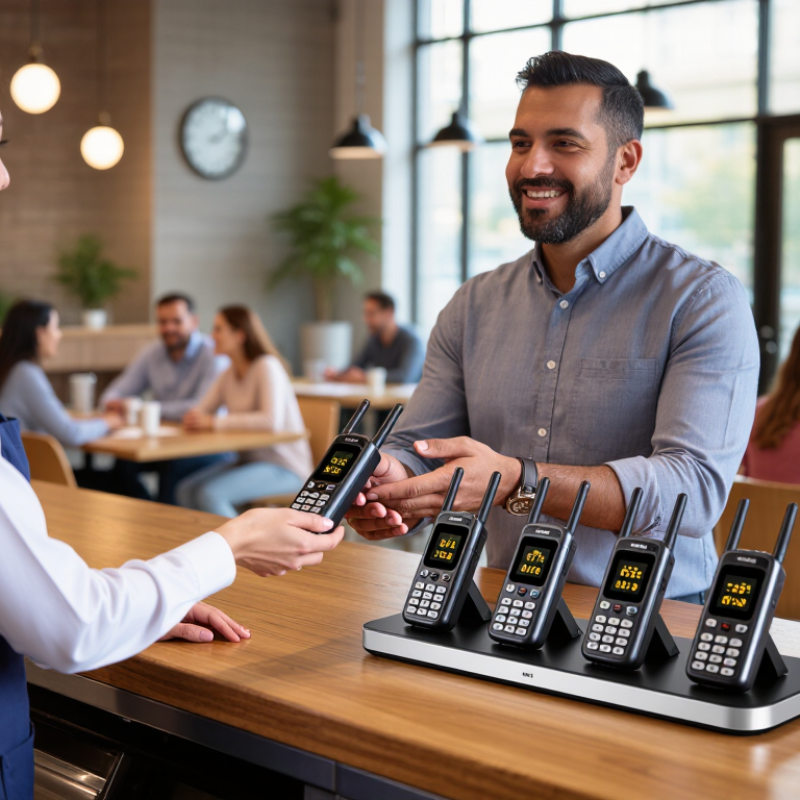
Smart paging machines differ mainly in how they carry a message. RF systems use dedicated radio links, making them practical for kitchens, clinics, and warehouses where fast, local alerts matter. Walls, metal shelving, and distance can weaken coverage, so test receivers at actual workstations. Simple can be dependable.
Wi-Fi paging can use an existing network, but congestion and access-point placement affect delivery. BLE suits short-range alerts and nearby devices; the Bluetooth SIG’s 2024 Market Update projects annual Bluetooth device shipments to reach 7.6 billion by 2028. That scale shows broad ecosystem support, not guaranteed paging performance. Cellular systems reach staff beyond a building, but depend on carrier coverage, service costs, and battery capacity. GSMA’s Mobile Economy 2024 report estimates 5.6 billion unique mobile subscribers by 2030, underscoring cellular’s reach while not measuring paging reliability.
For a purchase decision, map the real alert path: a cook receiving a table call, a nurse moving between rooms, or a technician working in a basement. Check delivery time, dead zones, battery life, and what happens during network outages. A hybrid system may add resilience, but also adds setup and maintenance. I would not choose by range claims alone; test a few units during a busy shift, then review missed alerts.
How Paging Works: 902–928 MHz and 2.4 GHz ISM Band Options
A paging transmitter sends a short radio message to compatible receivers, such as staff pagers or tabletop units. The receiver alerts with a beep, vibration, or displayed message. For a business, reliability depends on more than the device: building materials, antenna placement, and radio traffic all matter.
Walls matter.
Test coverage in the actual rooms where staff work.
The 902–928 MHz band can offer useful indoor reach, especially in layouts with multiple walls, though results vary by site. The 2.4 GHz band is widely used and can support responsive systems, but nearby Wi-Fi and Bluetooth activity may add congestion. Neither band guarantees better service everywhere. A metal kitchen partition or a crowded stockroom can change the result. Check that transmitters and receivers use the same band and signaling method, and confirm which frequencies are permitted for your location.
Tips: Walk the full service area with a test receiver before buying. Try busy hours, not just an empty room. Record dead spots and alert delays; a small flaw in your floor plan can be easy to miss.
Coverage should be tested where staff actually work, not only in an open showroom. Concrete walls, service corridors, and kitchen equipment can weaken a signal. Walk the route between the paging station and the farthest work area while sending repeated test messages. Dead zones matter. A tidy hallway test can still mislead, so include busy rooms and closed doors.
Receiver capacity determines how many employees can carry pagers at once. Count regular users, then allow room for shift changes, seasonal hires, and spare devices. Battery life needs the same practical check: compare the stated runtime with a full working day of real alerts. Frequent charging is easy to overlook until a receiver sits unused in a drawer. Test charging time and confirm that low-battery warnings are visible.
Software should make routine tasks simple, such as assigning receivers, sending group alerts, and reviewing delivery status. Ask whether managers can update assignments without technical help. Check that alert history is easy to read on a small screen, especially during a crowded shift. A feature list may look impressive, but staff may ignore complicated menus. Have several employees try common tasks before purchase; their feedback may expose awkward steps that a polished demonstration misses.
Restaurants need paging machines that keep service moving without adding noise. Tabletop coaster pagers work well when guests wait near the counter or patio. Staff can hand one over with an order number, then alert guests when food is ready. Look for clear vibration, bright indicators, and charging docks that fit the counter. Test signal coverage near kitchens and metal shelving. Small dead zones matter.
Clinics often benefit from discreet numeric or text pagers for calling patients from waiting areas. A quiet vibration is less disruptive than repeated announcements. Keep messages brief and avoid displaying sensitive details where others can see them. Reception staff should be able to update numbers quickly when appointments run late. That takes practice, and rushed setup can cause missed calls.
Warehouses usually need durable, longer-range receivers for communication across aisles and loading areas. Choose devices with readable screens, simple controls, and batteries that last through a shift. Check reception from the farthest work zone before buying; building materials can weaken signals. Rugged casing helps, but it cannot prevent every drop or fault. Paging is useful, not magic. Pair it with clear staff procedures, and review those procedures when the floor layout changes.
When comparing smart paging machines, check compliance documents before comparing screen size or range. In the United States, ask whether the specific model has the required FCC authorization for its radio emissions. Part 15 devices generally must not cause harmful interference and must accept interference they receive. Keep the supplied manual and authorization details with purchasing records. A familiar label alone is not enough.
For equipment sold in the European Economic Area, request the EU Declaration of Conformity and confirm that CE marking applies to the exact model and configuration. Requirements can depend on the device’s radio functions and intended market. Check that chargers, antennas, and accessories match the documented setup. Details matter. If paperwork is incomplete, pause and ask the supplier to clarify it in writing. I would not assume that a CE mark guarantees signal quality or durability; it indicates declared conformity with applicable requirements.
Calculate total cost of ownership across the expected service life, not just the purchase price. Include installation, staff training, replacement batteries, subscription fees, repairs, and spare pagers. Test coverage in actual work areas, including corridors and rooms with thick walls. A short trial can reveal dead zones before deployment. Also ask how software updates and repairs are handled. Some estimates will be imperfect, especially for future battery life, but recording assumptions makes vendor quotes easier to compare.
+44 (0)1373 831 373